

Hazel does not import contacts/households from your custodian at this time. Custodial data is read only, meaning Hazel cannot complete actions or make changes on your custodial data.
Setting up the Hazel <> Altruist Custodial Integration
Log in to Hazel. Head to Settings / Integrations and connect to Altruist. Enter your Altruist login credentials and you’ll be connected. Once you’ve done so, you can head into Ask Hazel and ask questions about your custodial data as it pertains to a household.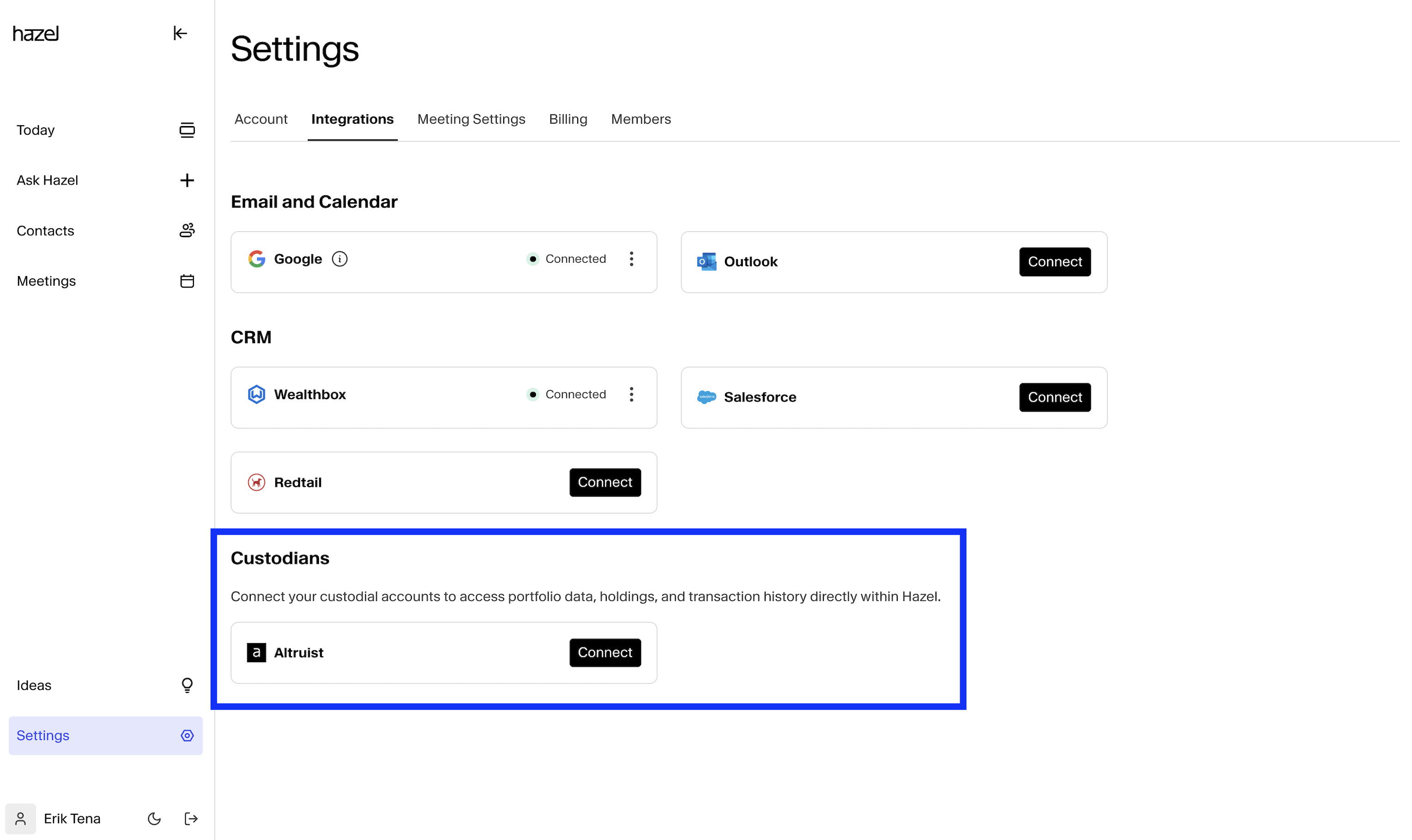
Use Cases
Hazel has read-only access to your custodial data in Altruist. At the moment, Hazel works best when you ask questions about a particular account, or household, as opposed to questions that need aggregation across households. Firm-wide awareness on your custodial data is coming in Q1 2026.Examples you can try today
-
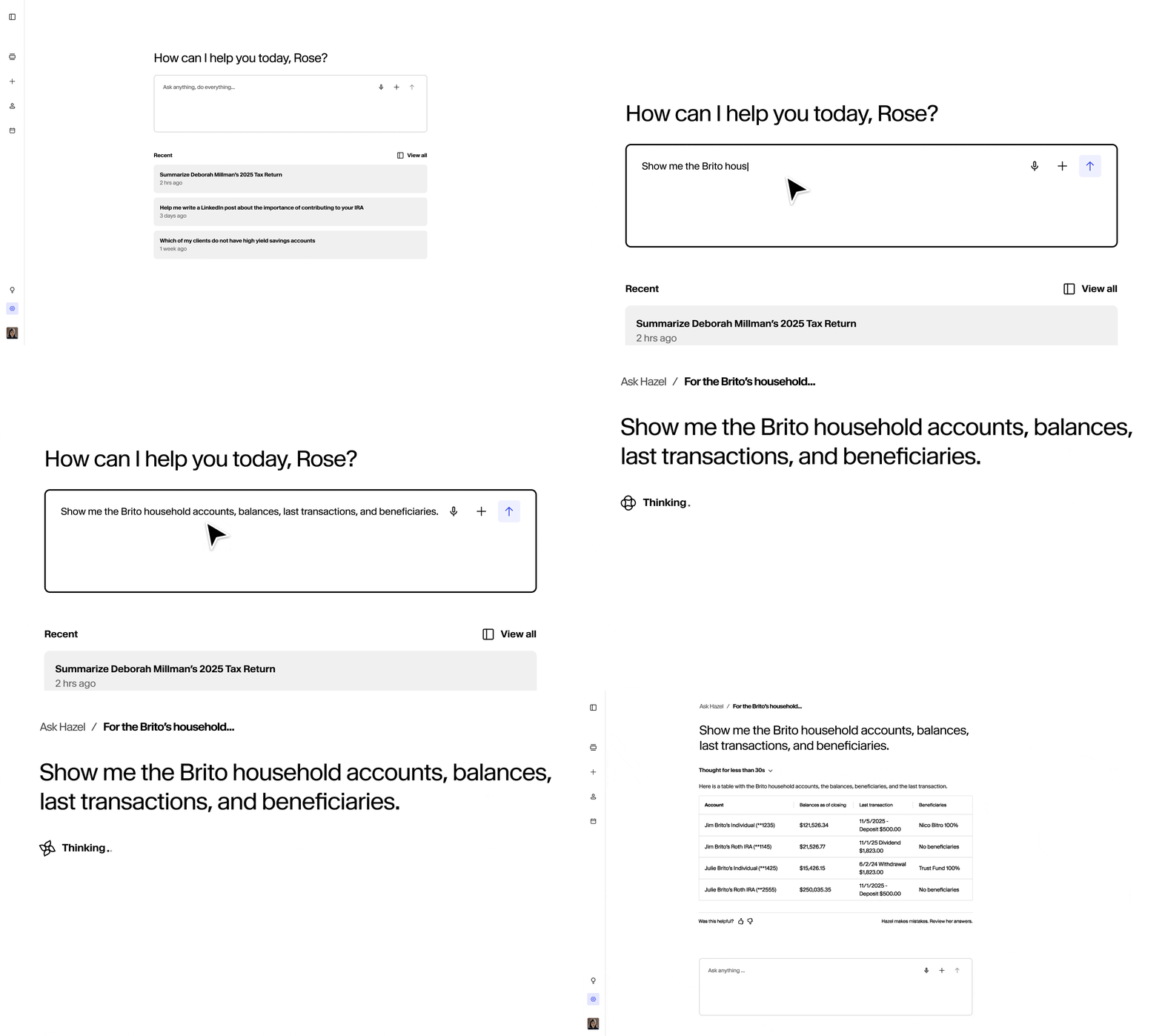
Show me the Brito household accounts, balances, last transactions, and beneficiaries.
-
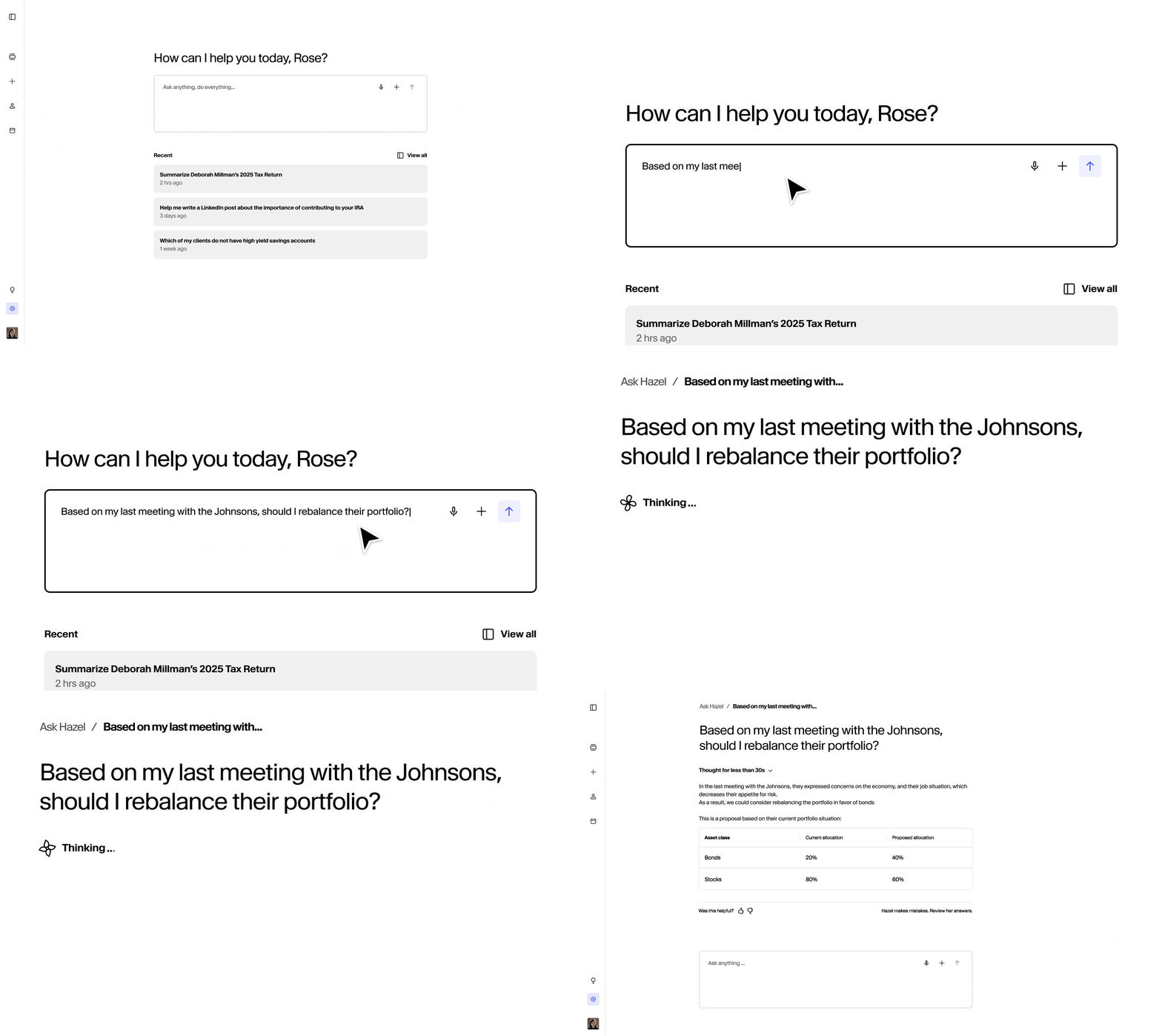
Based on my last meeting with the Johnson, should I rebalance their portfolio?
- “List the beneficiaries for the Smith household.”
- “What are their accounts and balances?”
- “Build a performance summary for this household”
- “What’s the RMD status for their accounts?”
Authorization, Data Access, and Security
Data Access Consent
By connecting your Altruist account, you authorize Hazel to:
- Access account and holdings information
- Retrieve transaction history and performance data
- Fetch cost basis and tax lot information
- Read portfolio composition and allocations
Security & Privacy
- No Storage: Hazel does not store any Altruist data
- Read-Only Access: Hazel can only read data and cannot execute trades or transfers
- Secure Authentication: Uses OAuth2 with PKCE for maximum security
- Revocable Access: You can disconnect at any time from this settings page