

Managing Subscriptions
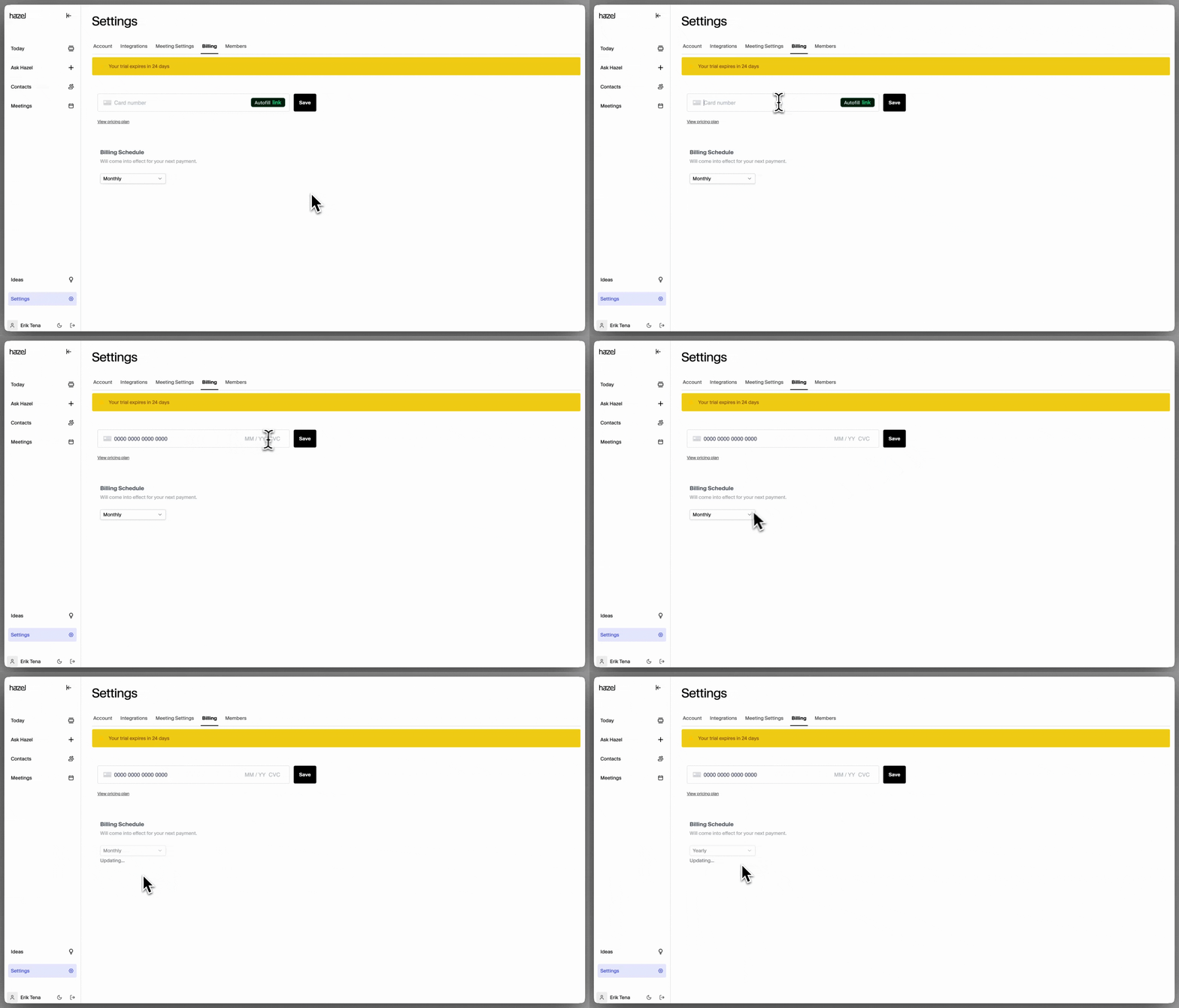
Users with the ‘Owner’ role can manage their firms Billing details and update credit card details within Settings → Billing. Here’s a breakdown on everything you need to manage your Hazel subscription:Add a Credit Card
To add a credit card, go to Settings → Billing, then enter your credit card details or connect your Link account. Once you click save, your subscription will be added and set to a Monthly billing cadence.Add new members to Subscriptions
To add new subscriptions, simply go to the members page and add the desired members. Billing will be updated based on the role assigned to each active user.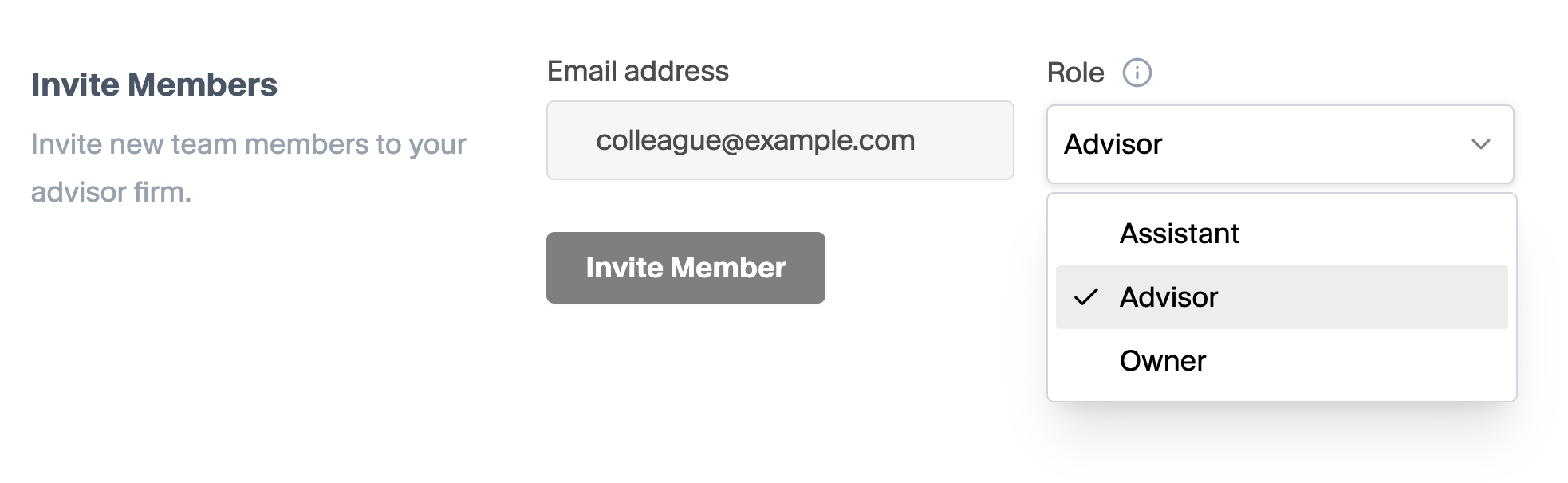
Unsubscribe or Removing existing subscriptions
To unsubscribe or remove a seat from your billing schedule, reach out to [email protected].Only ‘Owners’ have the ability to manage existing members roles and permissions.
Setting the Billing Schedule

Users save two months by paying annually instead of monthly.