

Ask Anything
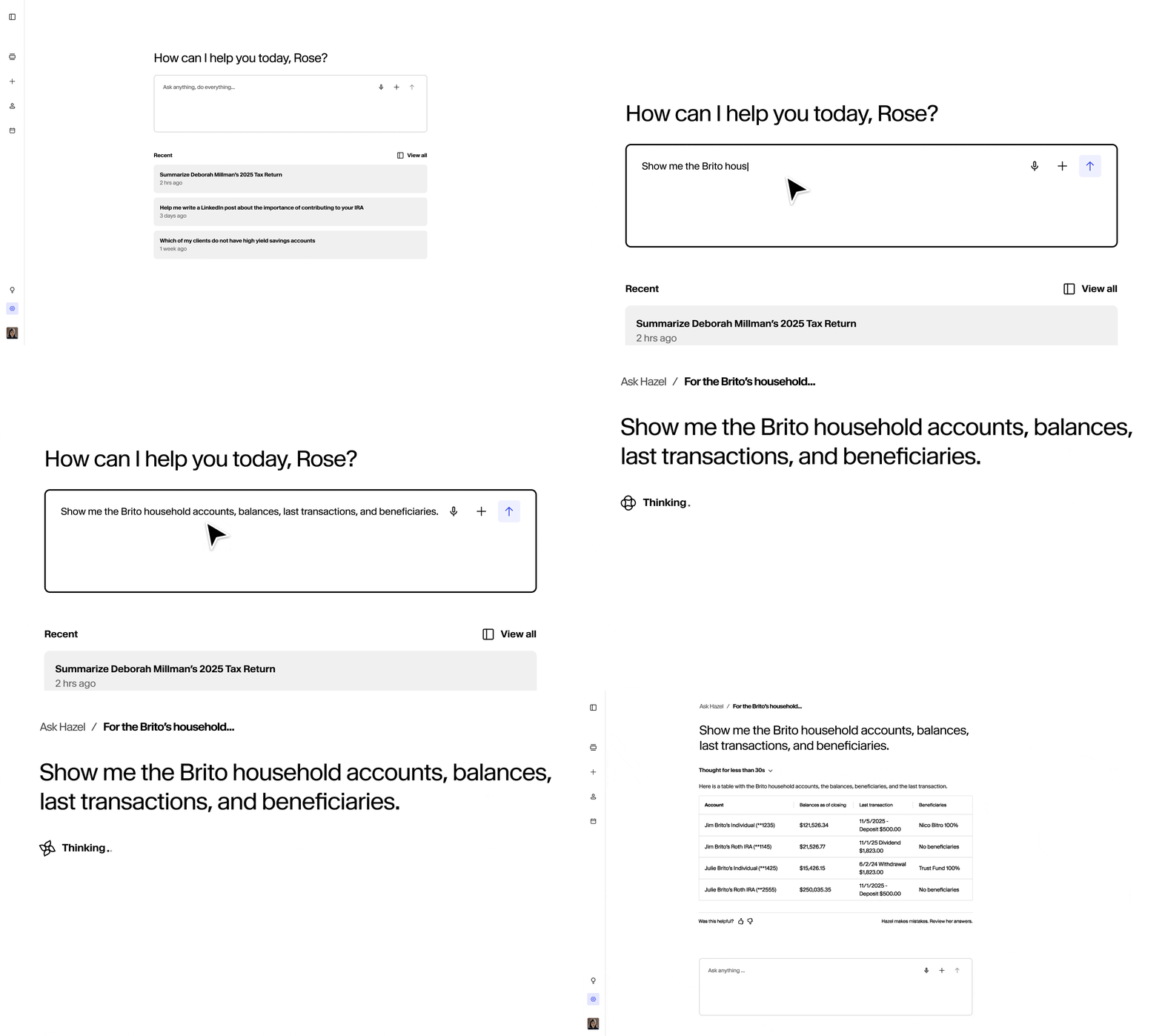
Hazel is designed to handle any type of question — from broad to highly specific. Keep in mind that the more context you provide, the more tailored and detailed Hazel’s answers will be. Best practices:- Even vague questions will return results, but context (client names, dates, goals) helps Hazel dig deeper and deliver sharper answers.
- Hazel can pull across systems — CRM, Emails, Previous Meetings, Web Search — so you don’t need to worry about where the data lives.
- Don’t worry about perfect phrasing. Hazel understands natural language, so speak as you would to a colleague.
- Use action-oriented prompts like “Draft,” “Summarize,” “List,” or “Prepare” when you want Hazel to create something for you.
Use Hazel like you would an assistant. If you only remember part of a detail — a client’s first name, or that a conversation happened “last month” — that’s enough to start. Hazel will fetch results, and you can refine with follow-ups.
Guide the Conversation
Think of Hazel like an assistant who remembers the flow of your instructions and connects details across systems. That means you don’t have to repeat client names or details every time — you can ask follow-ups naturally. Best practices:- Start with a broad request, then narrow down with follow-ups.
- Layer your questions step by step — Hazel keeps track of who and what you’re talking about.
- Be clear on the format you’d like — an email, bullet points, or a meeting agenda.
Hazel shines when you chain together multiple steps — pulling data, analyzing it, and drafting outputs — all in the same conversation. This turns Hazel into a true assistant.
Build an Additional Layer of Context

- Add files in the Chat and have Hazel analyze and provide context.
- Add additional notes or tables within the Household section of Hazel. Use this extra context to power chats, prep, and agendas going forward.
- Think of it as giving Hazel additional information about a client that isn’t stored anywhere else but in your head.
The more client-specific context you add, the more Hazel has to work with. As Hazel receives new data — from emails, CRM, or meetings — it will add it to their client profile. For additional thoughts or context, add your own notes for depth. Over time, Hazel becomes a single source of truth you can rely on for deeper insights and faster prep.
Scope questions to your own book
If your firm assigns advisor roles in your CRM (Lead Advisor, Senior Advisor, Paraplanner, CSA, etc.), you can ask Hazel to limit results to households where a specific person holds that role. This is useful when you only want to see clients you own, or when you’re reviewing another advisor’s book. Best practices:- Reference yourself with “my,” “mine,” or “me” — for example, “List my Lead Advisor households” or “How many clients am I the Lead Advisor for?”
- Reference a colleague by name or email — for example, “Show households where Jennifer Akhlaghi is the Lead Advisor.”
- Combine the role and person filters — for example, “Which of Jennifer’s Senior Advisor clients haven’t had a meeting in 6 months?”
- If you’re not sure which role labels your firm uses, just ask: “What advisor roles are used across our households?”
Advisor-role filtering reads from your CRM, so the role names available depend on how your firm has them set up (e.g. Redtail, Wealthbox, Salesforce). If a role doesn’t appear, confirm it exists on your households in your CRM.