

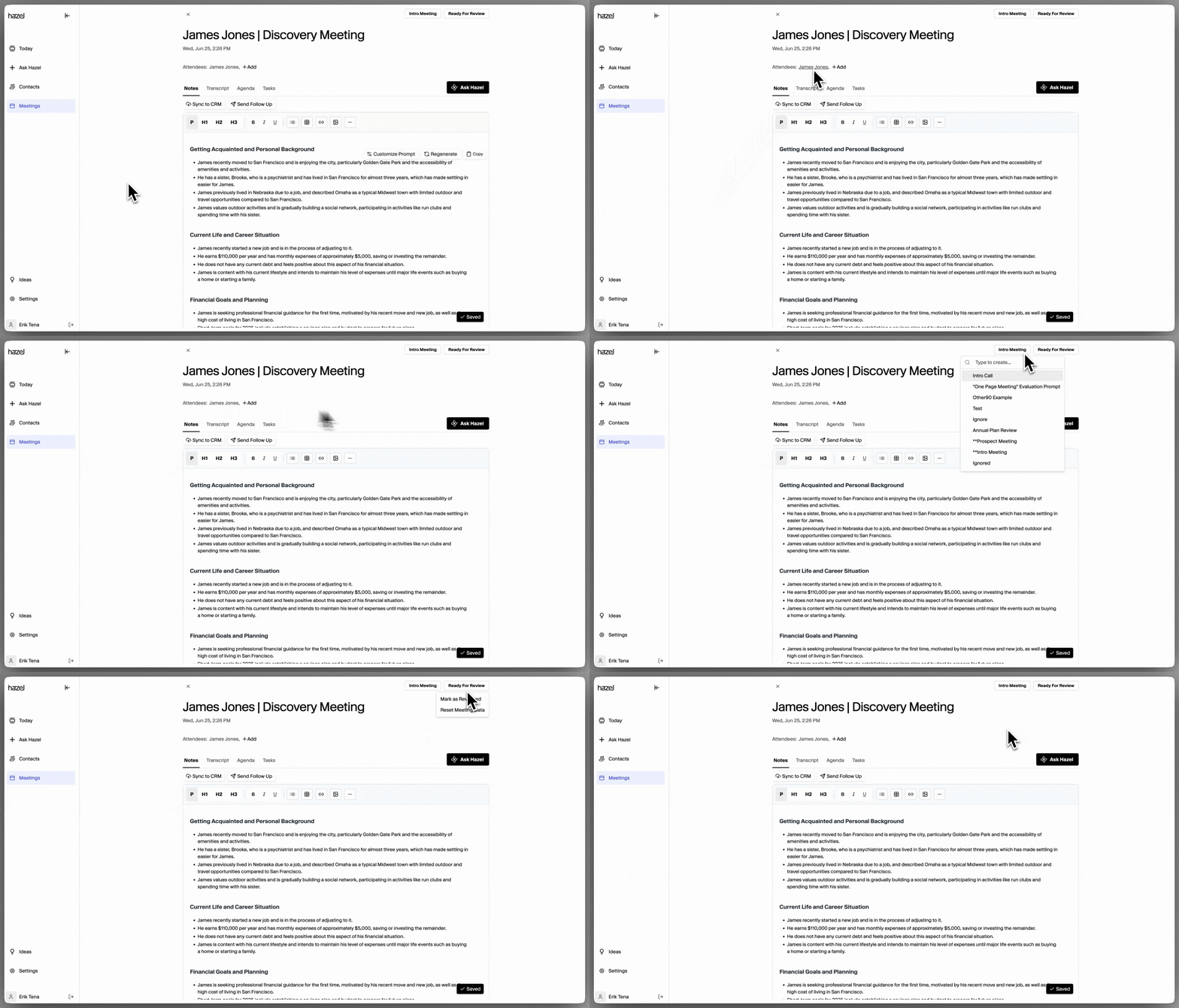
- Check attendees – This ensures the meeting is associated with the correct household, unlocking the ability for other team members to view the meeting and associating that meeting to a Household so Ask Hazel can access it. This connection is super powerful for keeping conversations organized and accessible.
- Select the meeting type – There are five default meeting types available, each designed to provide different styles of notes. Choosing the right one ensures the notes are tailored to the type of meeting you’re running.
- Meeting Status – You can update the meeting status from Ready For Review, Complete, or Reset Meeting Data.
- Ready For Review → Complete: Stay organized by clearly showing what’s been finished and what’s still left to review.
- Reset Meeting Data: Doing this will reset the meeting complete. All data will be lost.