How it Works
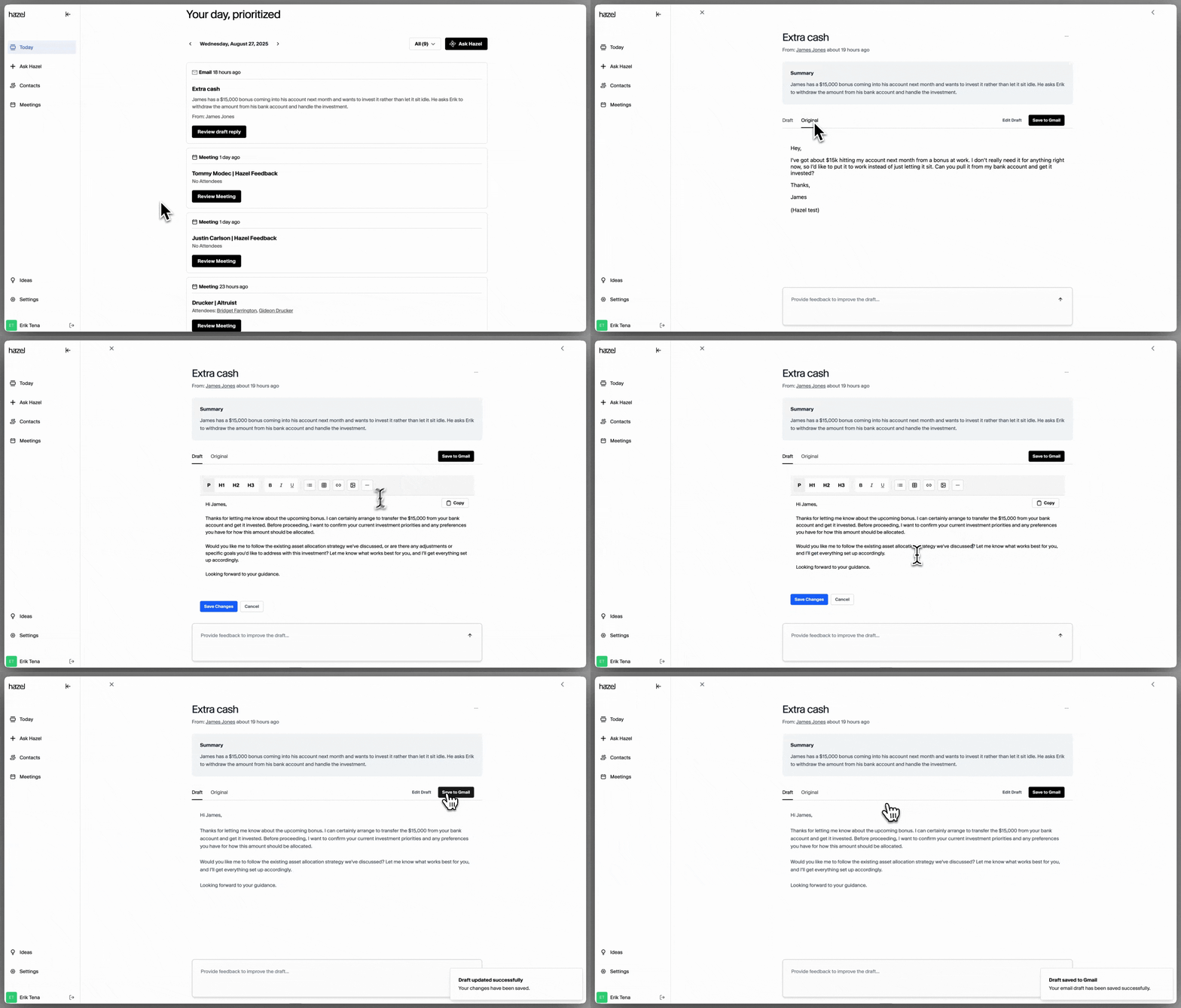
- Hazel screens emails, only sourcing those that come from your contacts in your CRM or contacts added in Hazel.
- Hazel will then pull relevant contact details to help you draft intelligent responses, ensuring every reply is timely and informed.
- Contact details are sourced from: previous meetings, previous emails, your CRM, etc.
- An intelligent response will be drafted based on the relevant context that Hazel sourced, ready for your review.
- Review and edit the response before saving the draft to your email.
Viewing Emails from Household page
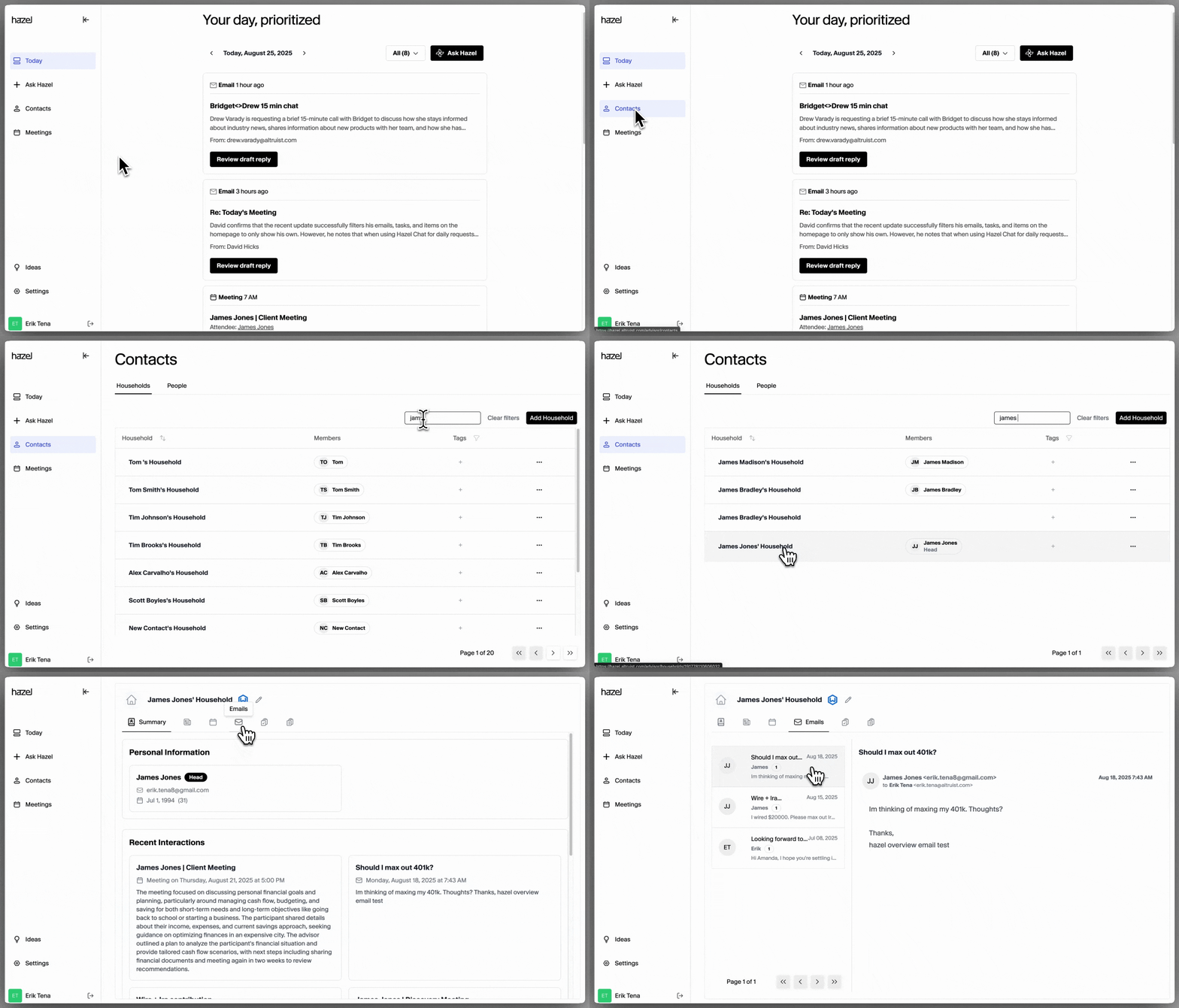
If you’d like to view all the emails that a client has sent, Ask Hazel! If you’d prefer to view all of the emails a client has sent you, you can do so by going to Contacts → select Contact → Emails.